Personal AI Agents: Choose by the Work You Want Done
Choose an agent for a concrete recurring job, then compare access, connected services and how unfinished work comes back to you.
The short answer
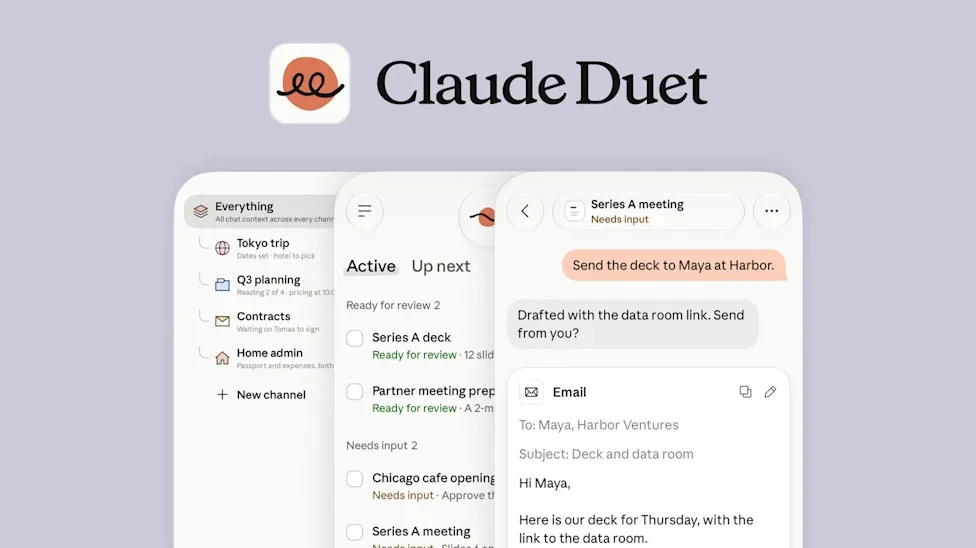
Start with Claude Duet if you qualify for its preview and want work organized around your existing Claude context. Consider Meta Muse for a personal-agent workflow built around ongoing goals. Choose by the services the agent can actually use and the decisions you want to keep approving.
Side by side
| Job | Starting point | Decisive constraint |
|---|---|---|
| Brief from an existing Claude account | Claude Duet | Invited US Pro/Max; no Microsoft 365 in the checked preview |
| Continuing personal goals | Muse | Regional access and services available to the account |
| Read a document without cloud inference | Local model application | Download a model first; connected tools may still use the network |
Start with the work you keep postponing
A useful agent purchase starts with an unfinished job: preparing meeting notes, collecting tomorrow’s commitments, or drafting a reply from several sources. Write that job in one sentence, name the input apps and specify the output. “Help me be productive” is too broad to distinguish a capable product from an impressive demonstration.
Separate finding information from changing something. An assistant that summarizes a calendar may already solve your problem. An agent that reschedules meetings adds another dependency: access to the right calendar, the right people and a clear approval process. More autonomy is useful only when you can describe what a correct result looks like.
Two current personal-agent routes
Claude Duet’s research preview requires an invited US Pro or Max account. It carries over Claude account context and can prepare a morning brief. Microsoft 365 is not yet supported, and the help guide says the agent checks accounts at intervals rather than continuously. That rules it out as an immediate Outlook-based monitoring solution.
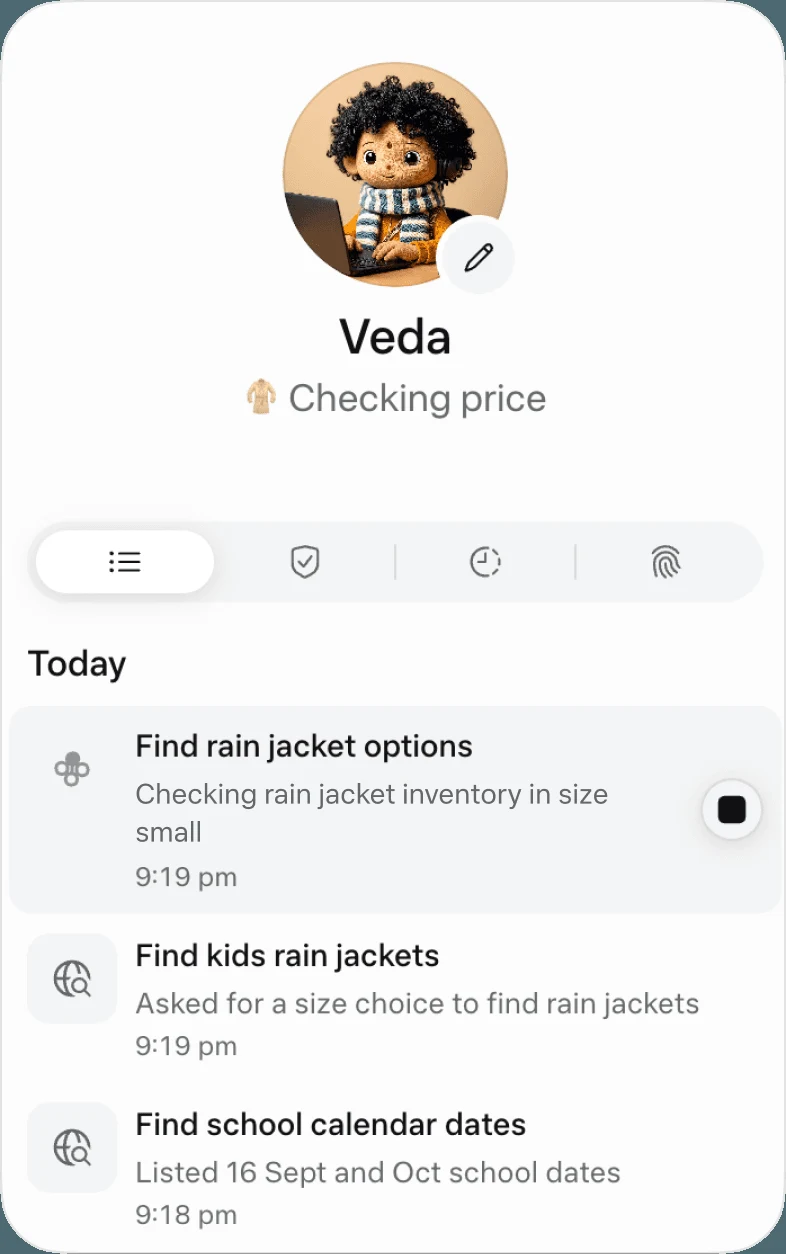
Meta Muse has a free entry route and paid subscriptions. Its launch describes tasks, continuing goals and an audit trail, with iOS, Android and web access rolling out by market. Its cloud computer keeps working independently of the phone. Choose between these products by access and supported inputs, rather than assuming either is an offline assistant.
Match the agent to the handoff
For meeting preparation, ask for a brief with links to the original messages, unresolved questions and the next decision. For administration, request a draft or prepared action rather than a vague “handle everything.” For long-running projects, specify when the agent should return, what counts as completion and which obstacle should trigger a question.
A good first assignment has a small input set and a visible finish line. For example: “Review tomorrow’s calendar and these three project threads. Give me a one-page brief by 8:30, with source links. Do not contact anyone.” This is an example brief you can adapt, not a claim that every product supports a guaranteed schedule.
Image source and original context
Read access, action access and cost separately
Account connection, permission to read a resource and permission to act are different parts of the workflow. Check them separately. A product can require an approval for a purchase while still reading a broad collection of messages to prepare it. Decide whether that scope fits the job before connecting your main accounts.
Also consider the cost of continuing work. A recurring briefing can consume usage even on a quiet day. Compare the total plan commitment with the value of the recurring task, rather than treating an included agent as unlimited background labor. Keep a simpler reminder or saved search when it solves the same problem.
Choose from three concrete jobs
For a calendar-and-email brief, first confirm the exact account provider is supported. For a venue shortlist based only on public pages, begin without connecting your inbox. For a summary that must remain on your Mac, use a downloaded-model workflow instead of either cloud agent.
These jobs require different software. Save the detailed access and control comparison for the linked Duet-versus-Muse article; the decision here is whether you need continuing work, a one-off answer or local document processing.
Limitations & considerations
- Check current access and purchase terms for your country and account before paying.
Use the linked official pages for current platform, access and purchase conditions.
Sources & scope
Reviewed October 24, 2026. Product facts follow the linked provider documentation. Selection advice and example prompts are iApp4Me editorial guidance. Screenshots and provider examples are credited beside each image. Availability and plan terms are dated October 24, 2026.
- Anthropic: introducing Claude Duet
Launch announcement, October 21, 2026.
- Meta: introducing Muse
Launch and product positioning; updated September 30, 2026.
- Anthropic: get started with Claude Duet
Eligibility, setup, connectors and current preview limits.
No comments yet. Be the first to share your experience.