PDF content recovery and document conversion on Mac, iPhone and iPad
Best forRecovering editable content without a subscriptionResearch shortlist
Free limited use · one-time full-access purchase, no subscriptionOne time
PDF content recovery and document conversion on Mac, iPhone and iPad Extract PDF text and pictures, or convert pages into editable Word, Markdown, HTML and RTF on Mac, iPhone and iPad.
Pros
-
Word (.docx), Markdown, HTML and RTF export
-
Provider-described local PDF processing and on-device OCR for scanned pages
-
Text extraction, selectable embedded images and ZIP export
Watch out
-
The October 18 image evidence concerns PDF Extractor 1.01 on iPhone. Its returned transparency sample lost alpha. Version 1.02 has not been retested for this issue; do not claim it is fixed or unchanged.
-
Word/OCR quality, complex tables, reading order and layout fidelity have not been benchmarked. Reflowed output is editable content, not a guarantee of matching page composition.

A mainstream PDF reader with free basic document interactions and separately paid editing and conversion capabilities.
Best forReaders considering an established multi-platform PDF ecosystemResearch shortlist
Free reader · paid Premium offersSubscription
A mainstream PDF reader with free basic document interactions and separately paid editing and conversion capabilities.
Pros
-
Read and annotate PDFs
-
Signing workflows
-
Paid editing, conversion and document operations
Watch out
-
Entitlements depend on plan and purchase channel.
-
Cloud and account-dependent operations require separate privacy review.

Apple’s reading library and bookstore; a useful baseline before paying for a specialist reader.
Best forChecking whether the included reading app is enoughResearch shortlist
Free reader · books sold separatelyIncluded
Apple’s reading library and bookstore; a useful baseline before paying for a specialist reader.
Pros
-
Book library
-
EPUB import on Mac
-
Book highlighting and notes
Watch out
-
EPUB text annotations and PDF Markup are not interchangeable features.
-
Mac PDF behavior differs from iPhone: Apple documents opening PDFs in Preview or the default PDF reader.
An open-source desktop route to offline speech transcription and timed subtitle files.
Best forUsers comfortable checking model and backend settingsResearch shortlist
Free open-source softwareFree
An open-source desktop route to offline speech transcription and timed subtitle files.
Pros
-
Offline audio/video transcription documented
-
TXT, SRT and VTT export documented
Watch out
-
The current README says newer Mac releases require Apple Silicon; it identifies 1.4.5 as the last Intel-compatible version.
-
Backend and model differences can invalidate speed comparisons.
A spoken-word recording and editing candidate for interviews, narration and podcasts on iPhone or iPad.
Best forAssembling interviews and spoken-word episodesResearch shortlist
Free tier · Ferrite 3 Pro $29.99One time
A spoken-word recording and editing candidate for interviews, narration and podcasts on iPhone or iPad.
Pros
-
Recording and multitrack speech editing
-
Developer-documented effects and export workflows
Watch out
-
Hardware and Pro entitlement affect recording options.
-
Transcript generation is not established by these sources.

An Apple-device article library with clean reading, tagging and annotation tools.
Best forAn Apple-only article reading queueResearch shortlist
$9.99 app · optional $4.99 annual feature upgradePaid
An Apple-device article library with clean reading, tagging and annotation tools.
Pros
-
Article reading view
-
Tags and stars
-
Highlights and notes
Watch out
-
Article Sync and newer annotation capabilities can depend on feature entitlement.
-
A developer privacy statement is not an independently measured network audit.
A PDF toolkit with mobile apps and web tools; document each execution environment explicitly.
Best forInvestigating a multi-tool PDF workflowResearch shortlist
Free tier · Premium $5.49/month or $44.99/yearSubscription
A PDF toolkit with mobile apps and web tools; document each execution environment explicitly.
Pros
-
Mobile annotation and signing
-
Mobile compression advertised
-
Web embedded-image extraction as JPG
Watch out
-
JPG output is not evidence of original-format or transparency preservation.
-
The web interface includes file upload; use only authorized non-sensitive fixtures.
Apple’s video editor is a baseline to try before buying a more complex editing workflow.
Best forA first straightforward iPad movieResearch shortlist
Free downloadFree
Apple’s video editor is a baseline to try before buying a more complex editing workflow.
Pros
-
Movie, Storyboard and Magic Movie workflows
-
Titles and audio editing
-
Finished movie and editable project sharing
Watch out
-
Device-specific export limits must be checked.
-
Do not assume automatic subtitle transcription is included.
A multitrack editor to investigate when an iPad project needs more deliberate control over layers and sound.
Best forEditors with a concrete layered-video requirementResearch shortlist
$29.99 app · optional paid extrasPaid
A multitrack editor to investigate when an iPad project needs more deliberate control over layers and sound.
Pros
-
Multitrack timeline described by developer
-
Keyframed effects and audio controls
-
Project and movie export options
Watch out
-
This draft scopes the iPhone/iPad edition, not Android or Mac parity.
-
Codec, external storage and add-on behavior need hardware-specific checks.
A Mac transcription candidate with a broader workflow than a simple subtitle generator.
Best forInterview and lecture transcription on MacResearch shortlist
Free edition · Pro €64 one-timeOne time
A Mac transcription candidate with a broader workflow than a simple subtitle generator.
Pros
-
Local transcription advertised
-
Subtitle and document export advertised
-
Optional AI integrations
Watch out
-
This profile covers the Mac workflow, not feature parity with the separate iOS offering.
-
Only follow download links from the verified official site.

A free, open-source feed reader for a deliberate list of websites.
Best forA conventional news-reading queueResearch shortlist
Free open-source readerFree
A free, open-source feed reader for a deliberate list of websites.
Pros
-
RSS subscriptions
-
Read/unread organization
-
Folders and starred items
Watch out
-
The official homepage now describes version 7; older help screenshots are not current device evidence.
-
Exporting subscriptions is different from exporting saved article bodies.
A focused iPhone and iPad app for combining PDF files in a chosen order, rather than managing an entire PDF editing suite.
Best forMerging complete PDF files on iPhone or iPadResearch shortlist
Free download · $2.99 Full Access offerSee offer scope
A focused iPhone and iPad app for combining PDF files in a chosen order, rather than managing an entire PDF editing suite.
Pros
-
Merge multiple PDF documents, per the developer
-
Arrange the order of input PDF files
-
iPhone and iPad support; minimum iOS/iPadOS 16.2 in the reviewed listing
Watch out
-
No hands-on import, merge or export test has been performed for this profile.
-
The listing advertises no ads and declares no collected data; neither is an independent privacy audit or proof of offline processing.
An Apple-focused PDF workspace spanning reading, annotations, signatures and paid document editing.
Best forFrequent Apple-device PDF workflowsResearch shortlist
Free download · paid editing plansSubscription
An Apple-focused PDF workspace spanning reading, annotations, signatures and paid document editing.
Pros
-
PDF annotation
-
Signature placement
-
Premium text/image editing and conversion
Watch out
-
Our usability and export-fidelity comparison has not run.
-
Feature availability is not the same as free availability.
P An open-source PDF workbench for reading, merging, splitting and organizing pages, with a native Mac download.
Best forResearching a free, open-source PDF merger on MacResearch shortlist
Free open-source softwareFree
An open-source PDF workbench for reading, merging, splitting and organizing pages, with a native Mac download.
Pros
-
Provider-documented PDF reading and text search
-
Combine PDFs into one document
-
Extract selected pages and split documents
Watch out
-
No hands-on installation, export or stability test has run.
-
Bookmark, form, link and layer preservation are project claims awaiting same-file checks.
A broad PDF utility suite worth investigating before paying for routine document operations.
Best forRoutine PDF operations without assuming a subscription is necessaryResearch shortlist
Free iPhone and iPad downloadFree
A broad PDF utility suite worth investigating before paying for routine document operations.
Pros
-
Merge PDFs
-
Compress PDFs
-
Annotation and document tools
Watch out
-
Platform feature parity is not established.
-
Offline and no-watermark statements are vendor claims until tested.
Apple’s built-in PDF and image tool; mobile and Mac versions must be documented separately.
Best forTrying built-in tools for straightforward document workResearch shortlist
Included with macOSIncluded
Apple’s built-in PDF and image tool; mobile and Mac versions must be documented separately.
Pros
-
PDF viewing and markup
-
Mac PDF page organization
-
Mac PDF export and size-reduction options
Watch out
-
Record operating-system version in every tutorial.
-
Compression can affect image quality; retain the original.

A reading workspace that connects saved documents, annotations and downstream notes.
Best forReaders who routinely turn reading into research notesResearch shortlist
30-day trial · Full $9.99/month billed annuallySubscription
A reading workspace that connects saved documents, annotations and downstream notes.
Pros
-
Multiple reading formats
-
Highlighting and notes
-
Readwise connection
Watch out
-
Reader, Readwise review features and third-party note integrations are separate stages of a workflow.
-
No capture-quality, offline or sync speed measurements have been run here.

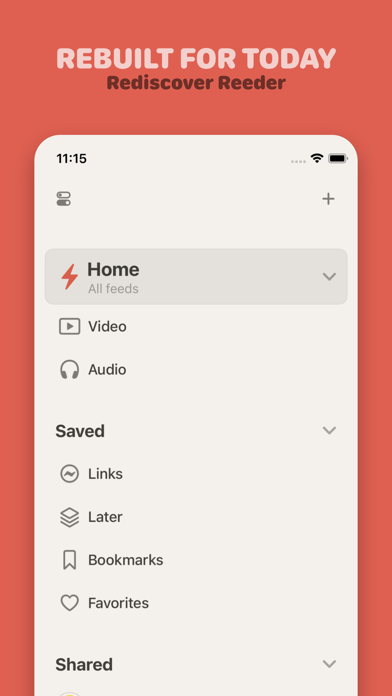
The current timeline-based Reeder, not the older Reeder Classic RSS client.
Best forFollowing several kinds of sources in one streamResearch shortlist
Free download · $1.99/month or $14.99/yearSubscription
The current timeline-based Reeder, not the older Reeder Classic RSS client.
Pros
-
Mixed-source timeline
-
Synced timeline position
-
Filters
Watch out
-
Current Reeder and Reeder Classic are distinct products.
-
Public shared feeds are intentionally public and unsuitable for private reading collections.
A camera-first scanning workflow with document organization, OCR and multiple export formats.
Best forRepeated scanning and searchable paper archivesResearch shortlist
Free download · Plus pricing requires checkoutSubscription
A camera-first scanning workflow with document organization, OCR and multiple export formats.
Pros
-
Camera document capture
-
OCR and searchable scans
-
PDF, image and additional export formats
Watch out
-
Legacy purchasers may see different entitlements.
-
Cloud sync is separate from the vendor-described on-device OCR model.
A Mac subtitle-generation candidate for creators who want to turn recorded speech into captions rather than edit a whole movie.
Best forCreators researching a dedicated Mac caption workflowResearch shortlist
Free Mac downloadFree
A Mac subtitle-generation candidate for creators who want to turn recorded speech into captions rather than edit a whole movie.
Pros
-
Subtitle generation described by the developer
-
Model download documented separately
Watch out
-
Do not infer accuracy, speed or privacy from developer testimonials.
-
The documented model-download article is older than this research review.
Showing the 20 most relevant apps. Add a specific term or filter to narrow your search.