How to Review AI Sales Follow-Ups Before They Are Sent
Use AI to prepare a better follow-up while keeping evidence, recipient context and the final sending decision visible.
The short answer
Review an AI follow-up in this order: confirm the recipient and relationship, verify every personalized claim, inspect the proposed next step and check the stop rules. Keep the final approved message in the CRM. Automation should not turn a research hint into a claim the recipient never made.
Side by side
| Your situation | Useful route | Check before choosing |
|---|---|---|
| Personalized claim | Reopen its source | Observed activity is not stated buying intent |
| Proposed follow-up | Check relationship and next step | One modest request |
| Automated sequence | Verify review and stop controls | Record the actual approved send |
Start with the relationship, not the generated draft
Open the account and contact record before reading the suggested wording. Check who owns the relationship, whether the person has already replied and whether another sequence is active. A well-written message can still be the wrong message if the context is stale.
Identify the purpose of the follow-up. Are you answering a question, sending promised material or making a first introduction? Those cases need different openings. Keep previous commitments visible so the draft does not contradict what a colleague already said.
Verify every personalized statement
Inspect claims about the person, company, project and timing. Reopen the source for each specific statement. A public interaction can support “I saw your discussion of this topic” when accurate; it does not support “I know you are looking to replace your software.”
Remove uncertain details rather than surrounding them with confident wording. Check names, roles and product references carefully. Personalization should make the message more relevant, not create a false impression of familiarity or access to private information.
Make the next step proportionate
Ask for one small action that fits the relationship: a short answer, permission to send a relevant example or a conversation when there is a plausible fit. Avoid combining several requests into the same follow-up. Keep attachments and links limited to what helps the stated purpose.
If the draft promises an outcome, check whether your business can support it. Replace exaggerated claims with a concrete description of what the product does. A shorter honest message is easier to review and more useful than a long AI-written argument built around assumptions.
Check execution and stop rules
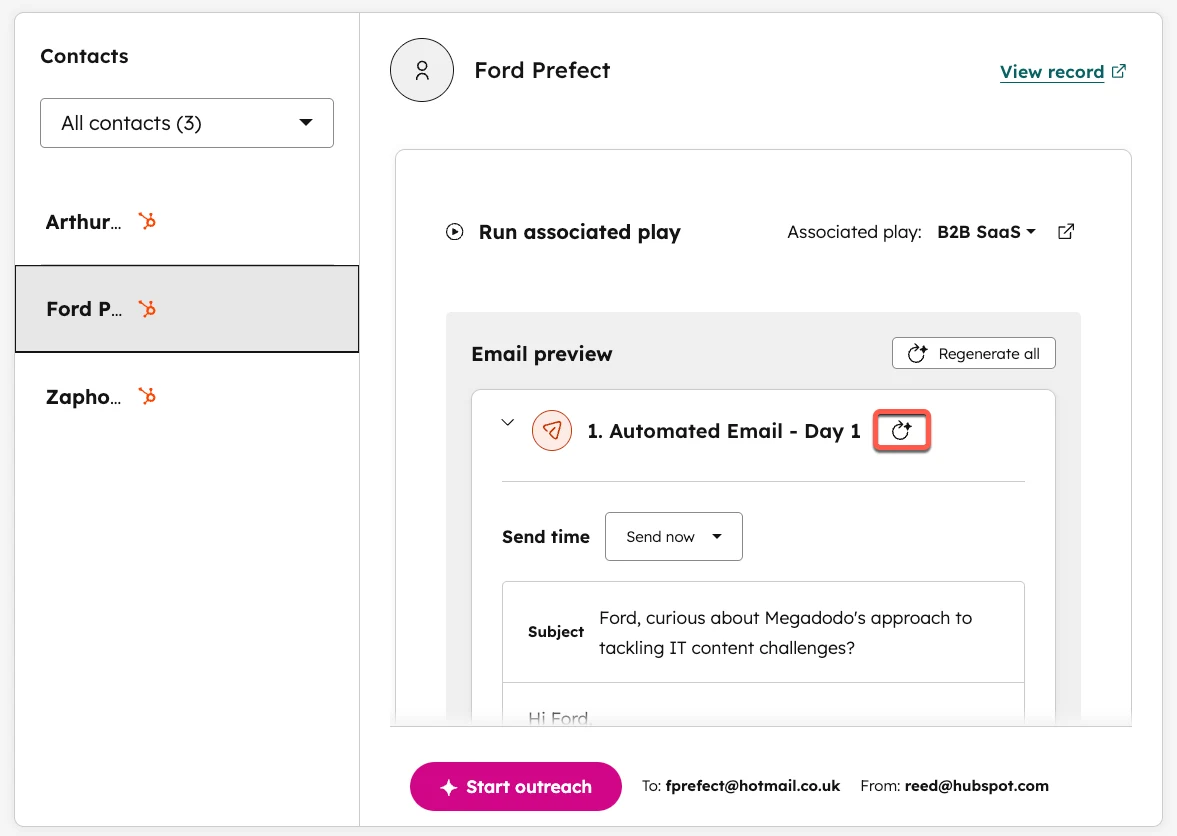
HubSpot documents Review before sending in a prospecting play. Drafts surface in Ready for review, and the assigned sender receives a notification. Use that actual review workflow when available instead of assuming a prompt such as “ask me first” configures the send behavior.
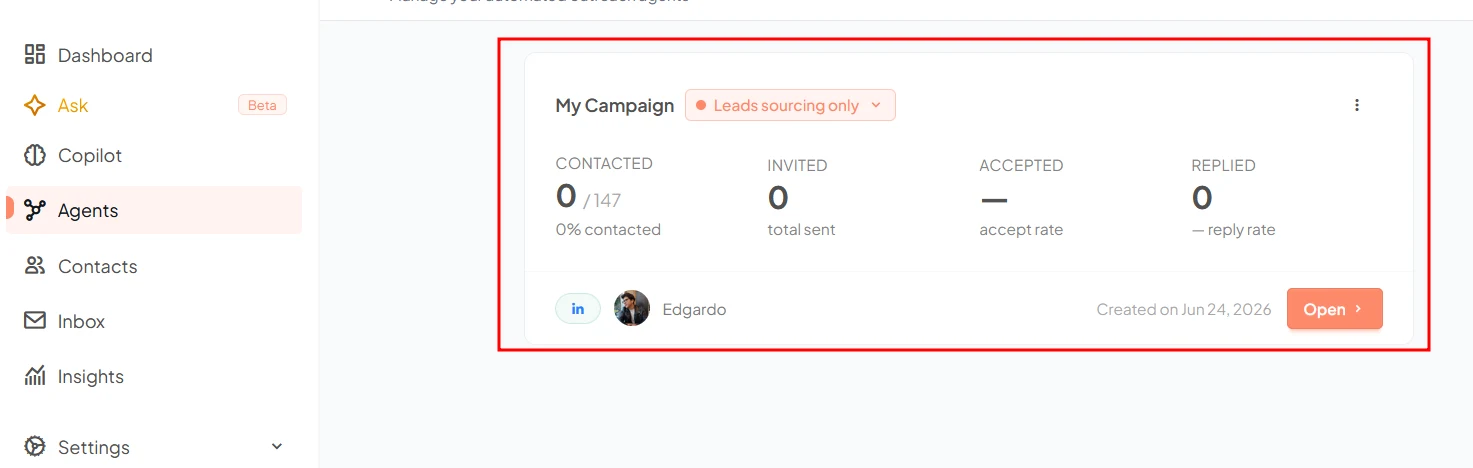
Its guide also says play edits apply only to newly enrolled contacts; already enrolled contacts continue with the earlier play version. If you correct a bad instruction or sequence, inspect existing enrollments rather than assuming the edit retroactively fixes the entire campaign. Gojiberry’s general campaign description does not establish the same controls.
Gojiberry: what it is and how it works
Image source and original context
HubSpot: set up and use the prospecting agent
A short before-and-after correction
Unsupported draft: “I know you are replacing your support system.” Evidence: the company posted a support-role vacancy. Safer revision: describe the hiring announcement accurately, then explain the relevant problem your product addresses without claiming knowledge of a replacement project.
Before release, verify the recipient, cited event/date, offer, next step and attachments. Save the approved wording with the account record. If the source assumption was wrong, fix the campaign context as well as the single draft.
Limitations & considerations
- Check current access and purchase terms for your country and account before paying.
Use the linked official pages for current platform, access and purchase conditions.
Sources & scope
Reviewed October 24, 2026. Product facts follow the linked provider documentation. Selection advice and example prompts are iApp4Me editorial guidance. Screenshots and provider examples are credited beside each image. Availability and plan terms are dated October 24, 2026.
- Gojiberry: what it is and how it works
Provider signal-to-outreach workflow; conversion claims are not independent results.
- HubSpot: Prospecting Agent
CRM-integrated prospecting and engagement workflow.
- HubSpot: manage credits
Account and tool spending limits for usage-based features.
- HubSpot: set up and use the prospecting agent
Review before sending, draft review and play-change behavior.
No comments yet. Be the first to share your experience.