NetNewsWire vs Reeder: RSS Queue or Mixed-Source Timeline?
Choose by how you catch up, where subscriptions sync, and which Reeder edition you actually mean.
The short answer
Start with NetNewsWire for a free, conventional RSS queue. Choose current Reeder for a mixed-source timeline. Check Reeder Classic separately if you want a traditional reader with third-party service connections.
Side by side
| Decision | NetNewsWire | Current Reeder |
|---|---|---|
| Catch-up model | Read/unread queue | Timeline position |
| App cost | Free; sync services can cost extra | Limited free tier; subscription for expanded use |
| Sync choice | Multiple documented accounts | iCloud |
| Migration | OPML supported | Free tier excludes OPML import |
| Classic confusion | Separate alternative | Do not borrow Classic features |
The first choice is a reading habit
Imagine returning after a week away. Do you want an unread queue to clear, or a timeline to resume and skim? That question is more useful than comparing icon designs. A queue creates a visible backlog; a timeline lets you decide what deserves attention without treating every old post as unfinished work.
Try the same ten sources for several days. Include a high-volume news feed, a low-volume personal blog and an excerpt-only publisher so you can see which reading routine fits.
What NetNewsWire provides
The current NetNewsWire page lists a free open-source Apple-platform reader, read-state tracking, OPML import/export and several sync services including iCloud, Feedly, Feedbin and FreshRSS. Its download page currently requires macOS 15+ and iOS 26+; check older releases for older devices.
What current Reeder changes
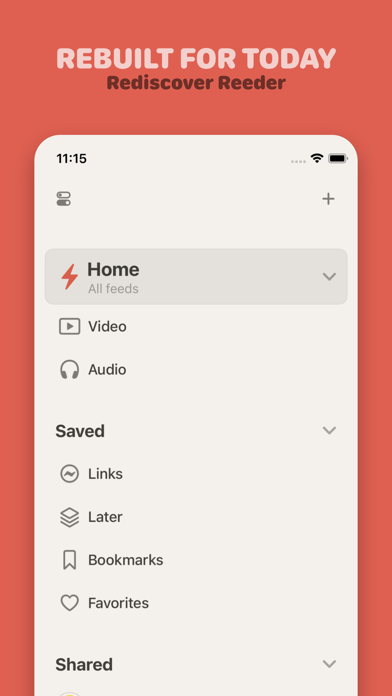
The newer Reeder mixes articles, video, podcasts and social sources in a timeline. Reading progress follows a synchronized position, and its own sync uses iCloud. This is not the same product as Classic.
The free tier is a small evaluation route: the help page lists ten feeds and excludes OPML import and shared feeds. Do not plan a large migration around the free trial collection.
Do not confuse Classic with the current app
Classic remains a separate traditional RSS/read-later client. A review describing a Feedbin account in Classic does not establish that the new Reeder supports the same login. Keep edition names in every comparison of pricing, service support and migration.
If your main requirement is keeping an existing external sync service, start by checking that account type rather than choosing the prettiest timeline.
Migration checklist: feeds are not your entire archive
Save an OPML copy wherever your current tool supports it. Record which app or service holds your starred items and read-later library. Importing subscriptions does not guarantee the transfer of read states, highlights or full article bodies.
Move a small folder first. Check duplicate subscriptions, feed titles and one saved article before moving the rest. Keep the previous setup until you know where your important material lives.
- Subscription addresses: verify the imported feed list.
- Saved reading: check several old items independently.
- Sync: make a small change on one device and inspect the other.
Choose a first app, not a permanent commitment
Choose NetNewsWire when cost and a conventional queue are the priorities. Choose current Reeder when combining different source types in one timeline is the goal. Choose Classic when its traditional workflow and supported accounts are the reason you are considering Reeder at all.
This is a documentation-based fit recommendation. It does not claim that one app fetches faster, retains every publisher’s full text or wins a measured reliability benchmark.
Limitations & considerations
- Menu names and availability depend on the installed system or app version; the linked documentation is the reference for current controls.
Use the linked official pages for current platform, access and purchase conditions.
Sources & scope
Reviewed October 25, 2026. Provider facts are attributed in each section. Examples, decision rules and quality checks are iApp4Me editorial guidance. Screenshots are credited provider illustrations unless a separate observation is explicitly identified.
- NetNewsWire: current features and requirements
Official documentation; feature and version scope checked October 25, 2026.
- Reeder: current product
Official documentation; feature and version scope checked October 25, 2026.
- Reeder: help and free-tier limits
Official documentation; feature and version scope checked October 25, 2026.
- Reeder Classic: separate product
Official documentation; feature and version scope checked October 25, 2026.


No comments yet. Be the first to share your experience.