Find an app, guide or comparison in our editorial library.
Search content published on iApp4Me. Try an app name or a task such as “merge PDFs”.
8 results for “How to Read, Annotate and Sync Papers with Zotero on iPad”, ranked by relevance. Search terms are recorded to improve this library; please avoid personal information.
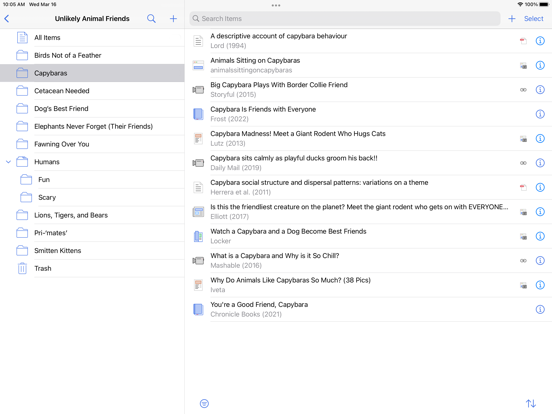
Keep the reference, the actual PDF and your reading notes connected—and export the right copy for someone else. How to Read, Annotate and Sync Papers with Zotero on iPad Save a paper into Zotero, open its stored attachment, annotate it and...
… on the iPad item list to sync and read any error at the bottom. Open the same attachment, not just its parent reference. Confirm that the account and library are the intended ones. If the server has the PDF and A has no unresolved error,
… or dedicated PDF editor Reduce size Compare a readable exported candidate Need more controls or strict target Image conversion and resizing Supported formats and basic geometry Complex processing or repeated production rules Remove backgrou...
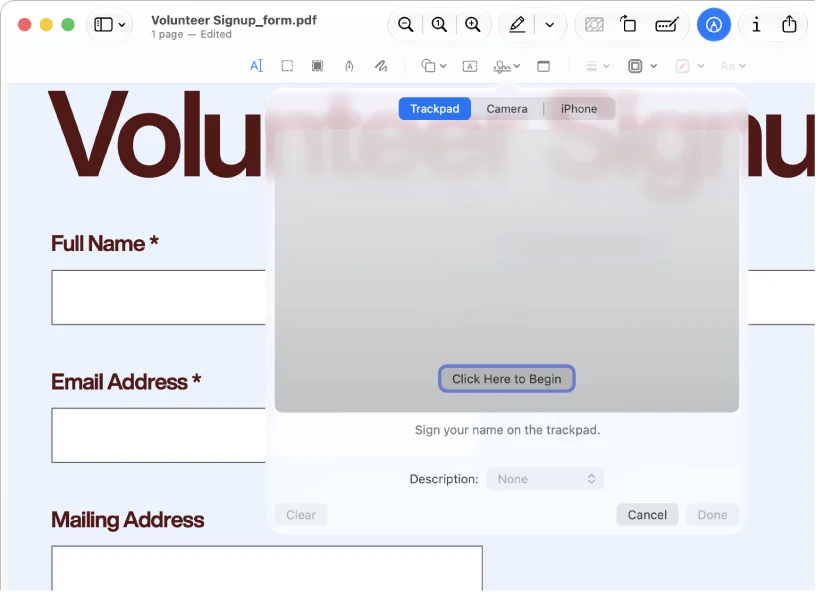
… place text boxes and visible signatures, and add reading annotations. It cannot edit the existing body text of a PDF. Keep an editable working copy and inspect the saved result in the viewer the recipient uses. The Preview Handbook /guides/...
… images from PDFs PDF Extractor · Adobe Acrobat Reader · PDF Expert · iLovePDF Available Merge PDF files Preview · PDFgear · PDF Easy Combiner · iLovePDF Available Compress a PDF for sharing Preview · PDFgear · Adobe Acrobat Reader · iLovePD...
A reference library connecting bibliographic records, attached papers and research annotations.
Best forReading papers as part of an ongoing research projectResearch shortlist
Free app · optional attachment storageFree
… is not proof of the latest button layout. Reading papers as part of an ongoing research project Keeping notes connected to bibliographic context Zotero Zotero is a candidate when a PDF must remain connected to its author, title and citation...
Pros
Reference records
Collections
PDF annotations
Watch out
Metadata synchronization and file synchronization are different.
Existing iOS documentation is not proof of the latest button layout.