Lingopie vs Language Reactor: TV Learning Workflows Compared
Compare the content source, device workflow and vocabulary loop before choosing a language-learning subscription.
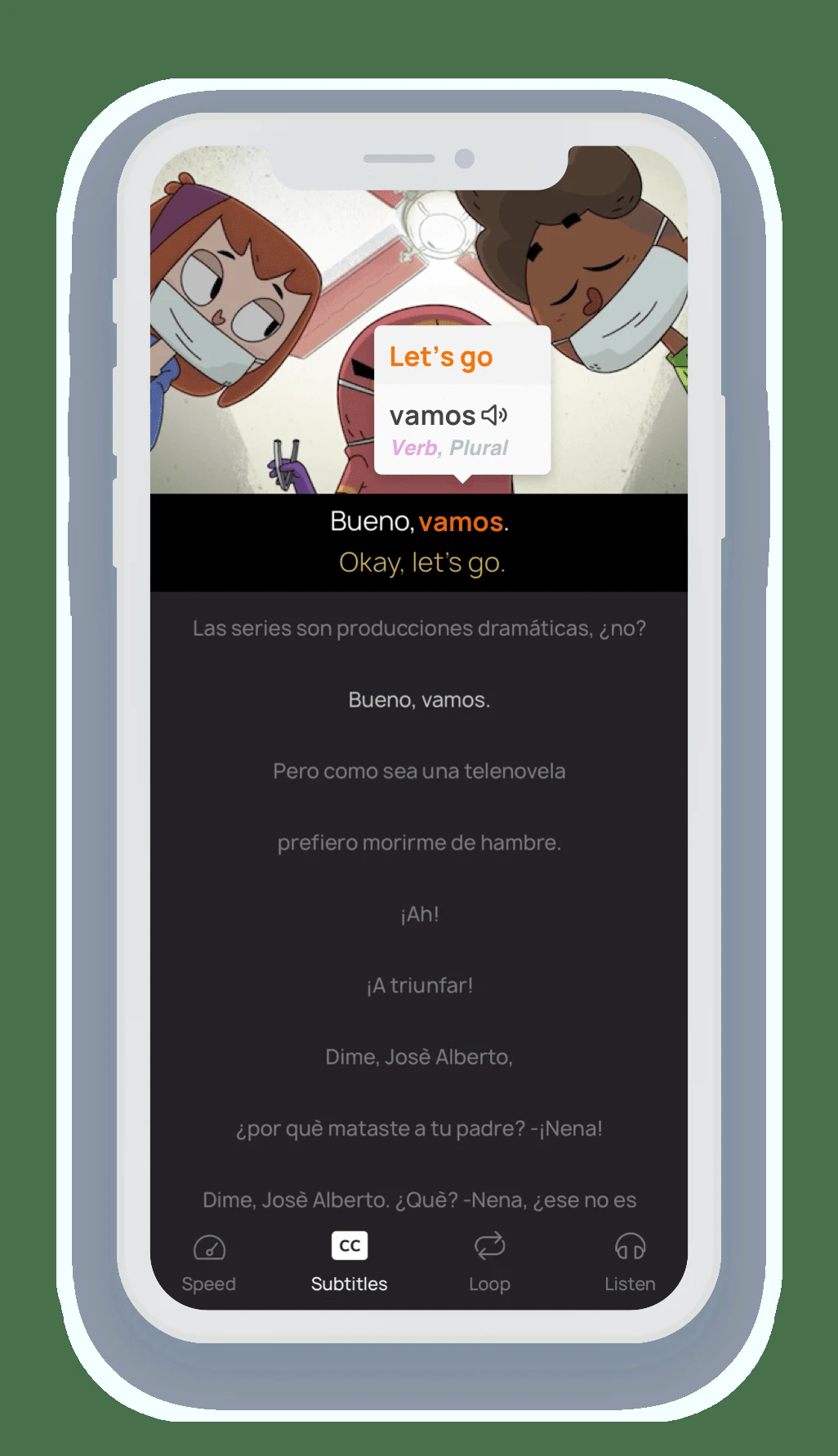
The short answer
Lingopie combines its viewing experience with vocabulary tools. Language Reactor adds learning controls to supported content in desktop Chrome. Choose Lingopie for a dedicated routine when its catalog fits; choose Language Reactor when your existing browser-viewing habits and available subtitle tracks already provide the material you need.
Side by side
| Question | Lingopie | Language Reactor |
|---|---|---|
| Where is the content? | Dedicated catalogue; extension route also documented | Supported Netflix/YouTube content you already access |
| Main device fit | Web plus mobile apps, including iOS/Android | Chrome extension on desktop/laptop |
| Later review | Word bank and flashcards documented | Free PhrasePump saving; broader saving and Anki export on Pro |
| Language access | Monthly/quarterly: one; yearly/lifetime: all, per plan help | Depends on the source video and available tracks |
| Extra content cost | Lingopie subscription terms | Netflix access is separate from the extension |
Start with where your shows come from
The most important distinction is the content route. A dedicated service can reduce the work of finding suitable material, while a browser extension can make an existing viewing habit more useful. Neither route guarantees that your favorite title is available with the tracks you need.
List two or three shows or channels you would genuinely study. Check their language, difficulty and regional availability before comparing subscription totals. This avoids paying for a tool that looks strong on a feature chart but has little usable material for your own routine.
Device fit can decide the comparison
Language Reactor’s official listing specifies Chrome on desktop and laptop computers running Windows or macOS. Lingopie also documents a browser extension, while its broader service has mobile-oriented purchase and learning routes. Do not equate an extension with the full mobile experience.
If your study time is mainly on an iPhone, check the actual Lingopie app workflow and available content. If you use a Mac at a desk, the browser route is a more direct comparison. A feature that works only on another device is not part of the routine you are choosing.
Language Reactor: official Chrome Web Store listing
Lingopie: browser extension guide
Image source and original context
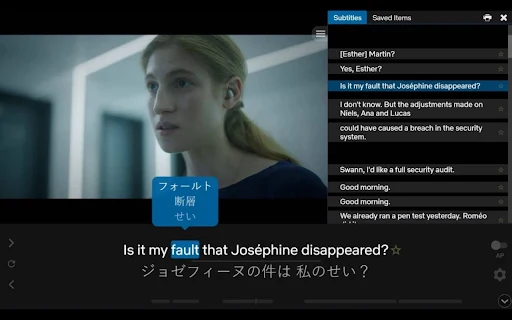
Compare subtitle and vocabulary entitlements
Lingopie’s published plans include clickable and dual subtitles, flashcards and quizzes. Its monthly and quarterly rows specify one language; yearly and lifetime rows specify all languages. Choose the plan by the languages you will use, rather than applying the all-language entitlement to every plan.
Language Reactor’s current Pro page says free Netflix use relies on subtitles supplied by Netflix. Pro adds Netflix speech recognition and machine translation. Free saving is described for PhrasePump; saving across Language Reactor features and Anki export are Pro features. Neither extension plan includes a Netflix subscription.
Lingopie: what it is and how to learn
Compare the total study cost
Include the learning tool and any separate content subscription. Lingopie’s subscription page has purchase-channel and trial exceptions, including a monthly-plan exception. Language Reactor’s paid features are separate from the streaming services whose content you watch.
Avoid comparing a promotional annual price with an ordinary monthly price as if the commitment were the same. Check renewal terms and the route you will use to cancel. If a trial is available, choose the content you want to inspect before starting it so the trial period is spent on a real study routine.
Two different purchase decisions
If you want to study two languages from Lingopie’s catalogue, compare its all-language plans rather than assuming the mobile monthly plan covers both. If you already study Netflix on a laptop and only need its supplied subtitles, try the free Language Reactor route before paying for speech recognition or cross-feature saving.
For either purchase, use the offer shown by your actual billing channel. Lingopie’s help excludes the mobile monthly plan from the seven-day trial; its general trial headline is not a promise that every plan gets one.
Limitations & considerations
- Check current access and purchase terms for your country and account before paying.
Use the linked official pages for current platform, access and purchase conditions.
Sources & scope
Reviewed October 24, 2026. Product facts follow the linked provider documentation. Selection advice and example prompts are iApp4Me editorial guidance. Screenshots and provider examples are credited beside each image. Availability and plan terms are dated October 24, 2026.
- Language Reactor: official Chrome Web Store listing
Developer listing describes desktop Chrome, Netflix and YouTube support.
- Lingopie: browser extension guide
Extension setup, vocabulary and connectivity requirements.
- Lingopie: what it is and how to learn
Watching, clickable vocabulary, speed and flashcard review.
- Lingopie: subscription plans
Plan and trial conditions differ by purchase channel; monthly exception noted.
- Language Reactor: free and Pro features
Provider distinctions for subtitle sources, vocabulary saving and memory.
No comments yet. Be the first to share your experience.