Higgsfield vs Swagga: Photo, Video and Editing Workflows
Compare creative workflows and export requirements without assuming that a larger model menu produces a better final video.
The short answer
Choose Higgsfield when a specific effect or production workflow in its catalog matches the brief. Consider Swagga.ai when motion references, identity-oriented scenes or a quick product reveal are central. Compare the same source, intended movement and export requirement; there is no evidence here for a universal quality winner.
Side by side
| Question | Higgsfield | Swagga.ai |
|---|---|---|
| Access | Browser platform; official API/MCP routes also listed | Web studio at swagga.ai |
| Documented routes | Effects, shots, transitions and product-oriented tools | Motion control, Identity preserve, portraits and Product reveal |
| Free visible watermark | Free accounts: yes, per official watermark help | Not established by the publicly checked entitlement page |
| Paid visible watermark | New paid-plan generations: no Higgsfield visible watermark | Verify selected route and account entitlement |
| Quality winner | Not measured here | Not measured here |
Compare a project, not a collection of demos
A useful comparison starts with the same deliverable. Pick one source image, an intended camera move and a destination format. Decide whether you need a single short clip or a set of shots for an edit. Without that brief, almost any showcase can look like the best option.
For a portrait, list the facial details that must stay recognizable. For a product, list the packaging and dimensions that must remain accurate. Then identify the controls each candidate offers for that specific job. This avoids comparing one tool’s polished advertisement with another tool’s unedited first output.
Where Higgsfield is a relevant shortlist
The Higgsfield catalog presents effects, shot generation, transitions and product-ad workflows. The breadth is useful when a project needs several related creative treatments. It can also mean you need to understand which tool, model and plan applies to the chosen treatment.
Higgsfield’s official guide establishes its browser-based access route. Use that route when comparing costs and capabilities; a third-party app using a similar name is not a valid substitute. Check the selected feature’s current access rather than carrying an entitlement from a different part of the catalog into the comparison.
Where Swagga.ai is a relevant shortlist
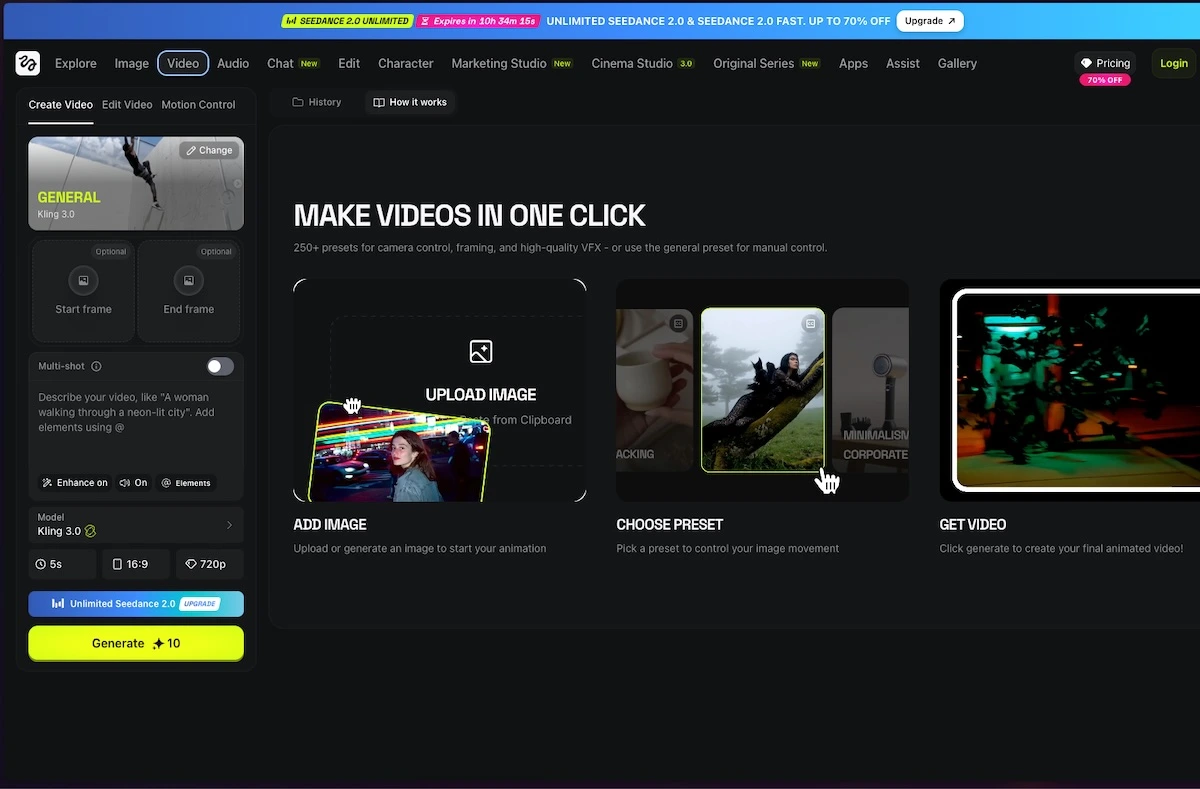
Swagga.ai presents a studio with photo, video and editing sections, and highlights motion-reference, portrait and product-reveal workflows. That makes it a sensible candidate when you already have an image and want to direct what happens next.
The useful question is how much control the current workflow gives you over the specific change. Can you describe the movement clearly? Can you preserve the parts of the reference that matter? If a public page does not establish a detailed control or export allowance, check the signed-in interface before treating the feature as included.
Swagga.ai: photo and video studio
Image source and original context

Make the cost comparison honest
Price the same planned deliverable: for example, three short vertical shots from supplied images, with two revisions allowed per shot. Record the selected model, duration, dimensions, displayed generation charge and export entitlement for each service. A model menu or a demo still does not establish the cost of those nine possible attempts.
Higgsfield’s official watermark page now resolves one part of the comparison: free accounts add a visible watermark, while new generations on paid plans do not. Swagga’s public pricing page did not establish a comparable export entitlement in this review, so no blanket cheaper-or-cleaner-export claim is made for it.
Choose by the control your shot needs
For a specific effect or transition, start with Higgsfield’s matching catalogue entry. For movement demonstrated by a reference video, Swagga’s published Motion control route is relevant. For a portrait, its Identity preserve claim is a feature description to evaluate, not measured proof that it outperforms Higgsfield.
If a label or face changes in the intended shot, reduce the move or preserve that element in an ordinary edit. This comparison establishes access routes and workflow fit; it does not invent an output-quality ranking from showcase images.
Limitations & considerations
- Check current access and purchase terms for your country and account before paying.
Use the linked official pages for current platform, access and purchase conditions.
Sources & scope
Reviewed October 24, 2026. Product facts follow the linked provider documentation. Selection advice and example prompts are iApp4Me editorial guidance. Screenshots and provider examples are credited beside each image. Availability and plan terms are dated October 24, 2026.
- Higgsfield: creator tools
Official catalog of creative workflows.
- Higgsfield: official platforms
Official browser platform, account requirements and mobile-app clarification.
- Swagga.ai: photo and video studio
Official product identity and creative workflow descriptions.
- Higgsfield: pricing
Live plan entry point; account offers and model access can vary.
- Swagga.ai: pricing
Official pricing entry point; public extraction did not expose a full entitlement table.
- Higgsfield: free-account and paid-plan watermark rules
Free accounts add a visible watermark; paid plans apply to new generations, not retroactive removal.
No comments yet. Be the first to share your experience.